Software for marketplace sellers
The back office for a shop that sells everywhere.
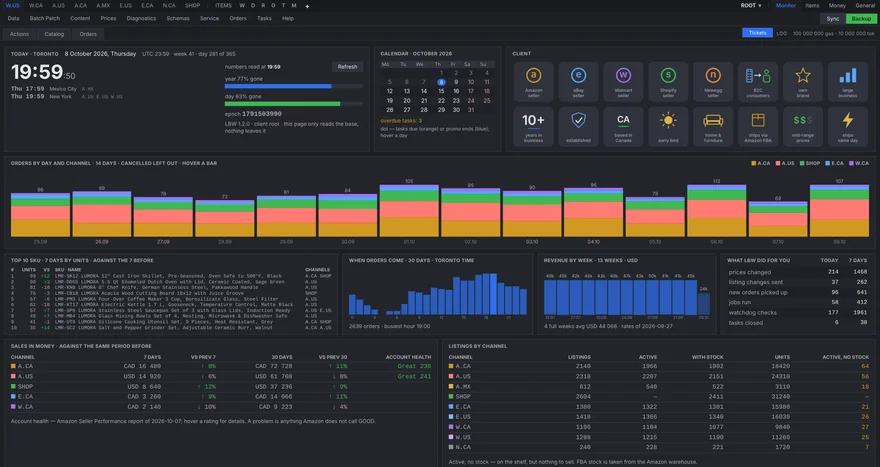
aska.work is a big step forward in how an online shop runs its sales: prices, discounts and promotions, stock and orders on every marketplace, managed from one place and automated wherever a person is not needed. It also keeps backups of the seller’s own store — including a copy in the seller’s Google Drive.
What it does
One catalogue, many storefronts.
Each marketplace has its own fields, rules and reports. aska.work keeps one record per item and checks it against what every platform actually shows.
Works with Shopify, Amazon, Walmart, eBay, Reverb, Newegg and others. aska.work is set up individually for each shop; it is not a public sign-up service.
Content
One source of truth, every storefront.
Product data lives once, in the master record: titles, descriptions, attributes, sizes, weights and photos. aska.work turns it into what each marketplace expects, checks it against that marketplace’s rules, and sends the update to every channel the product is sold on.
Fix a fact in one place and it is fixed everywhere — no copying between seller centres, no listing left a version behind.
Your data
Kept with the shop, not with us.
Each shop runs its own copy of aska.work with its own database and its own keys. There is no shared server that collects sellers’ data, and nothing is sold or passed on.
Buyers’ names, e-mail addresses, phone numbers and street addresses are not stored. What is kept is what the business needs: the items, the amounts, the postal code and the country.
Fine-tuning
From a buyer’s question to every listing.
Listings get better with every question a buyer has to ask. Here is how one question becomes a better page on every marketplace.
- QuestionA buyer asks something the product page does not answer.
- TicketThe question becomes a ticket, so it is not lost in a marketplace inbox.
- Picked upThe buyer gets an answer, and the missing fact is noted.
- Master dataThe fact is added to the product’s master record, or the text is improved.
- DeployedThe update goes out to every channel where the product is sold.
The next buyer finds the answer on the page — on every marketplace at once.
Google Drive
Backups of your Shopify store, in your own Drive.
A store is more than its products: metafields, the theme with its edits, redirects, price lists, shipping rules. aska.work collects all of it into an archive and, if you connect Google Drive, uploads that archive to a folder in your Drive. The copy is yours: it sits in your account, and you can open, move or delete it like any other file.
- Permission
https://www.googleapis.com/auth/drive.file- Also read
- Your account e-mail and Drive storage quota, to show which account is connected and whether there is room.
- Never
- Reading your other files, sharing your files, selling data, advertising, or training AI models.
Full details are in the Privacy Policy.
- Connect once. You sign in with Google and approve access.
aska.work asks for one permission only: to see and manage the files
it creates (
drive.file). - A folder is created. aska.work makes a folder named
aska.workin your Drive and keeps everything inside it. - Backups are uploaded. Store archives and product images go into that folder on the schedule you choose.
- The rest of your Drive is untouched. aska.work cannot see, read, list or change any file it did not create.
- Disconnect any time. Remove access at myaccount.google.com/permissions. Backups already uploaded stay in your Drive until you delete them.